
Steps:
-
Click the Access button to connect to the provisioned server.
-
Open the terminal by selecting the Terminal option and choosing New Terminal.
To create an Azure sandbox, run:
asectl init azure
-
A sandbox environment in Azure will be created, generating credentials stored in /root/azure-creds.txt.
Configure the Azure CLI:
-
Run the following in the terminal:
az login --use-device-code
-
Copy the device code displayed and visit Microsoft Device Login.
-
Enter the code and sign in with the credentials from /root/azure-creds.txt.
-
Select the default subscription when prompted.
Access the Azure Portal:
-
Log in at Azure Portal using the sandbox credentials.
References:
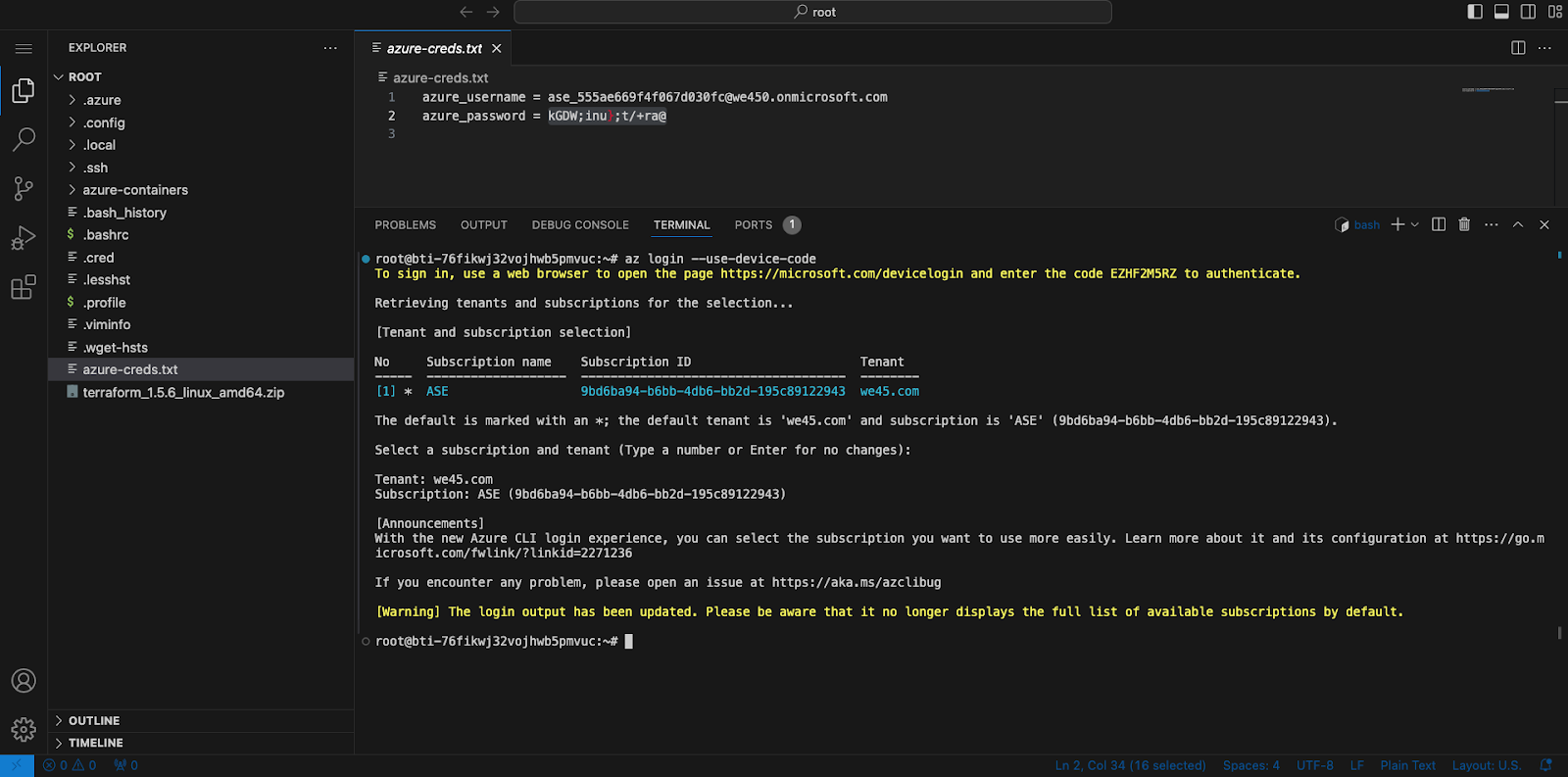
Image featuring the screenshot of how to spin up an azure sandbox
Understand more about sandboxes and how they can enhance your security practices in our guide on What are sandboxes.