
Steps:
-
Click the Access button to connect to the provisioned server.
-
Open the terminal by selecting the Terminal option and choosing New Terminal.
To create an AWS sandbox, run:
asectl init aws
-
A sandbox environment in AWS will be created, generating credentials stored in /root/aws-creds.txt.
-
The AWS CLI is automatically configured with the sandbox credentials.
Access the AWS Console:
-
Expand Explorer in the web IDE.
-
Open aws-creds.txt.
-
Copy the aws_url, aws_username, and aws_password from the file.
-
Log in to the AWS Console at the specified URL and choose the us-west-2 region.
References:
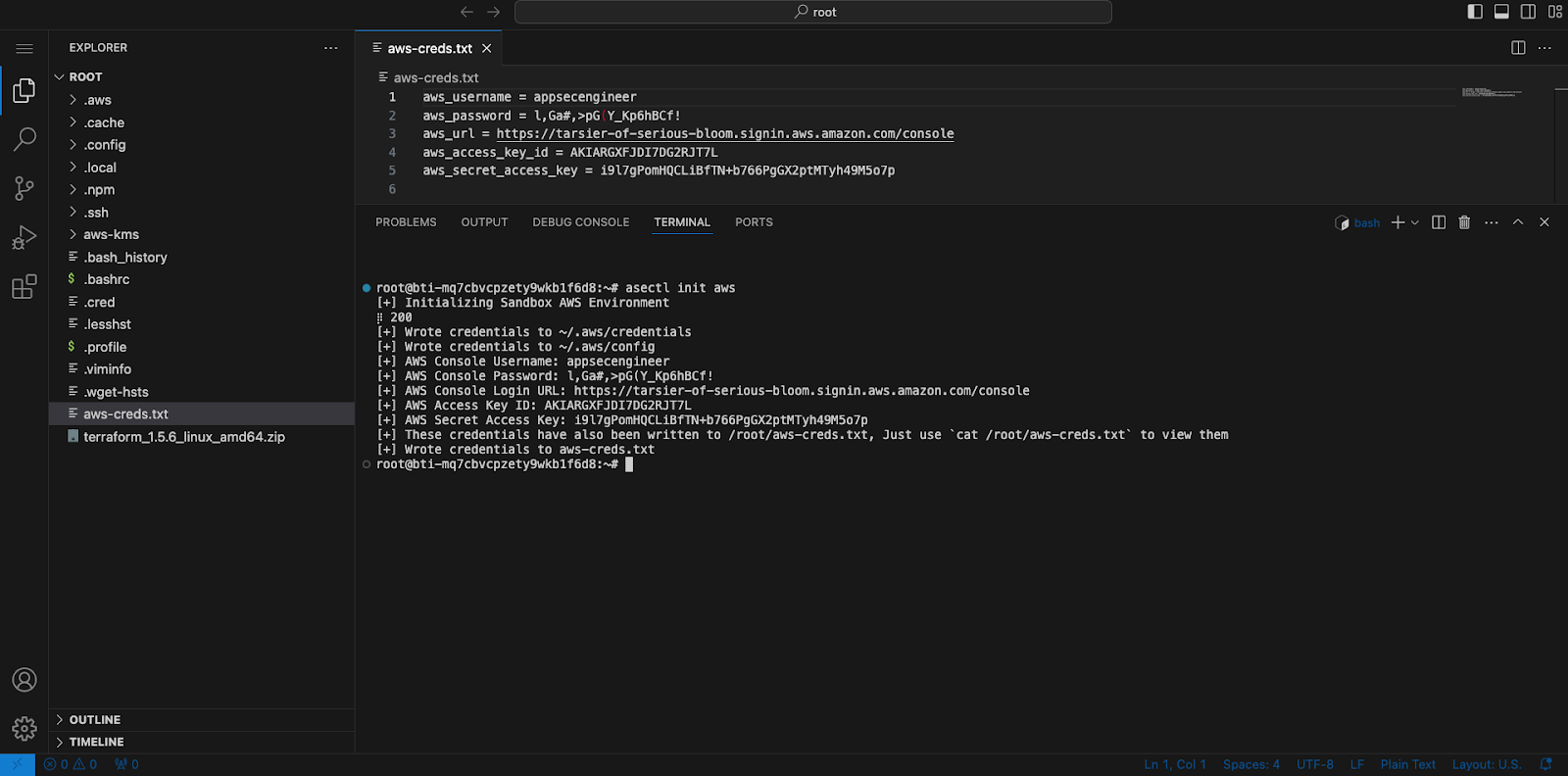
Image Featuring step by step process to spin up a AWS cloud sandbox
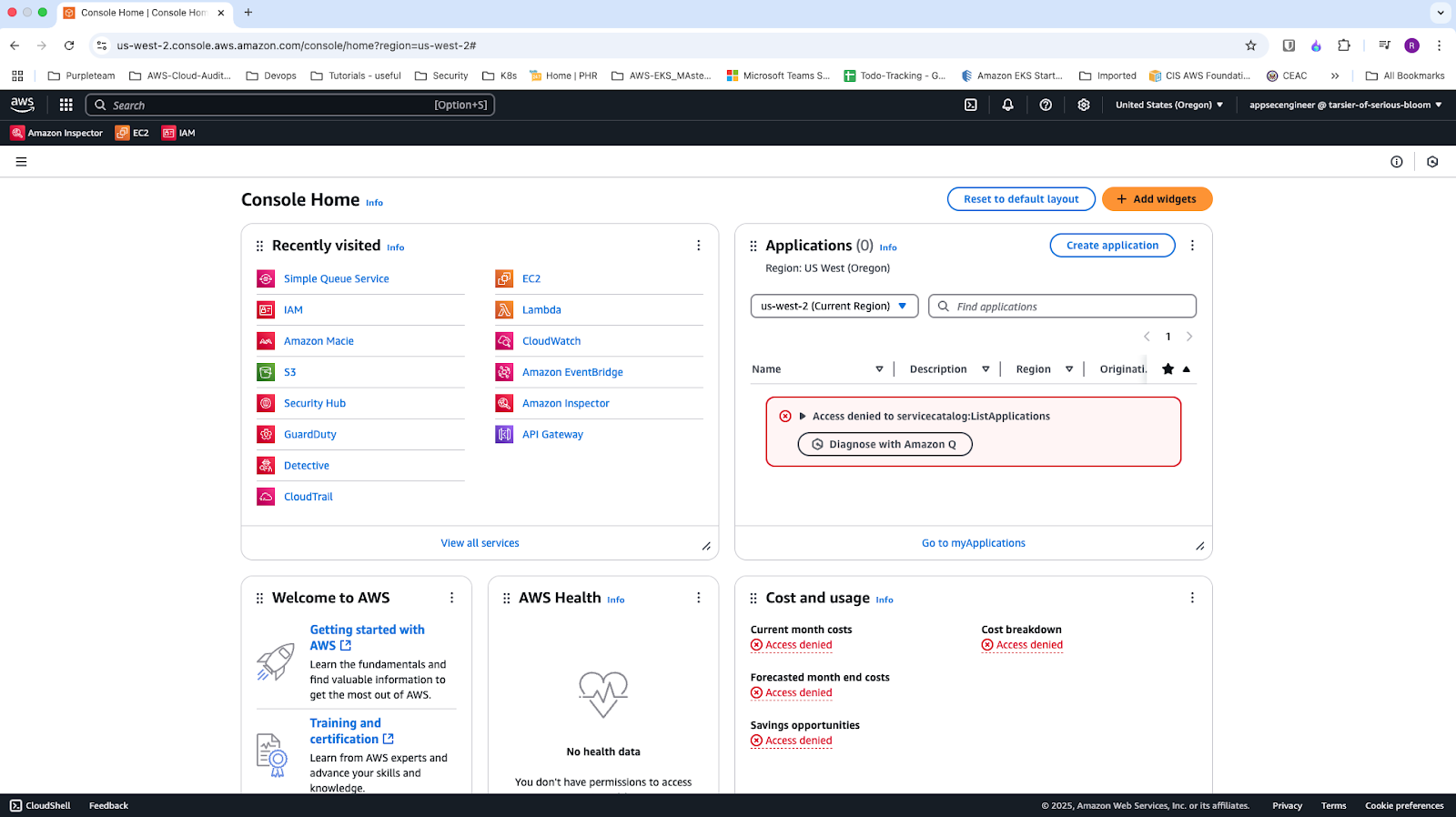
Image featuring console home page of AWS
For a better understanding of the sandbox environment, refer to our guide on What are sandboxes