
Tournaments in AppSecEngineer can be edited to update details, modify challenges, or adjust participant settings. Follow these steps to make changes to an existing tournament.
Steps to Edit a Tournament
-
Access the Tournaments Section:
-
Go to the Dashboard > Sidebar Menu > Admin > Tournaments.
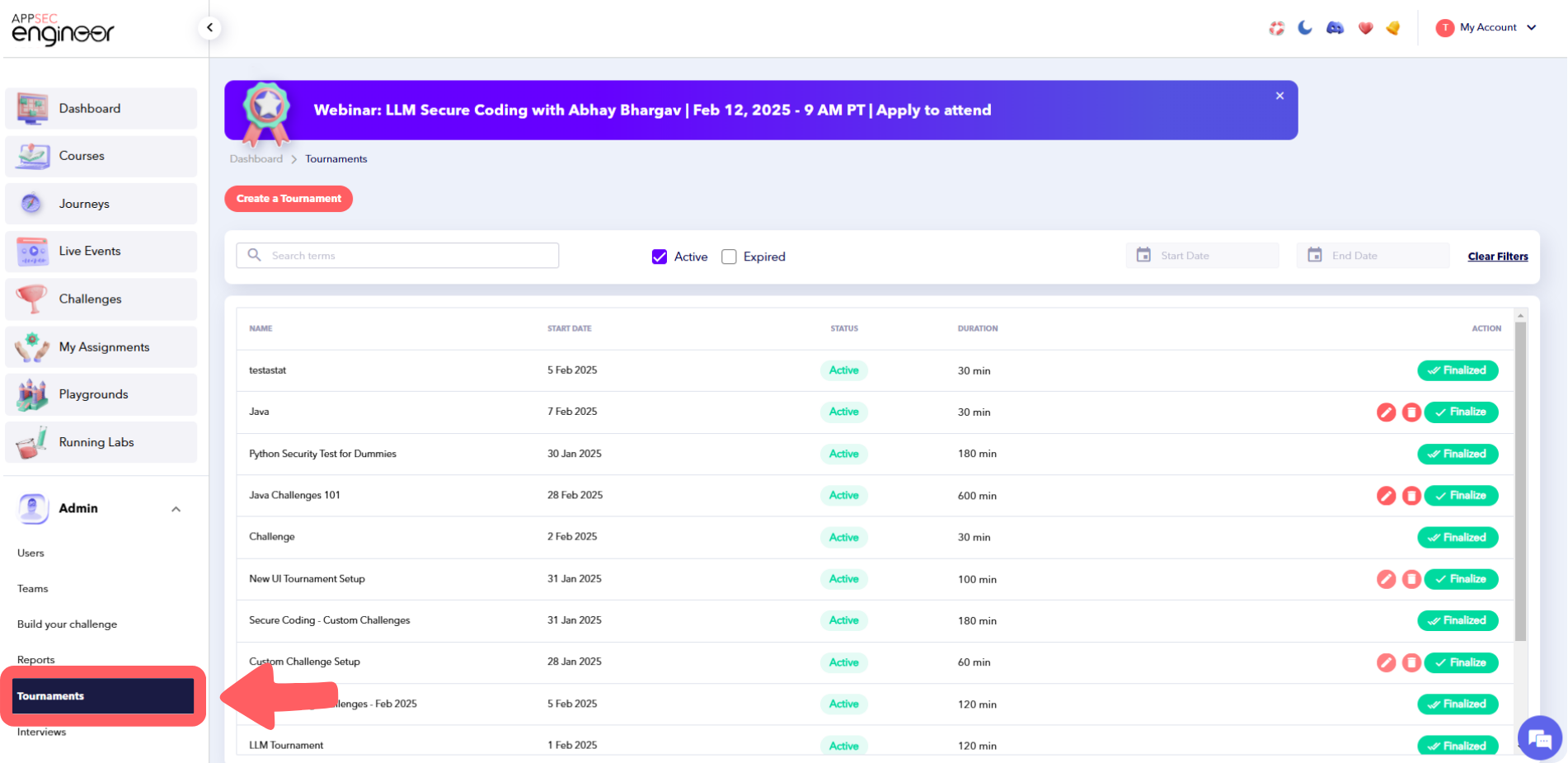 This screenshot shows the navigation process in the AppSecEngineer Learning Platform. The user is accessing the 'Tournaments' section by going through the Dashboard, Sidebar Menu, and then selecting 'Admin' followed by 'Tournaments.' This pathway allows administrators to manage and oversee tournament-related content on the platform efficiently
-
-
Locate the Tournament:
-
Scroll down to the list of tournaments or use the Search Bar to find the specific tournament you want to edit.
 This screenshot shows the AppSecEngineer Learning Platform interface, where the user can scroll down to browse the list of tournaments or use the Search Bar to quickly locate a specific tournament they wish to edit.
-
-
Edit the Tournament:
-
Under the Actions column, click on Edit for the desired tournament.
-
-
Make Your Changes:
-
Update any details, such as:
-
Tournament Name
-
Description
-
Start and End Dates
-
Pass Percentage or Duration
-
Participating Users
-
-
Modify attached challenges if needed.
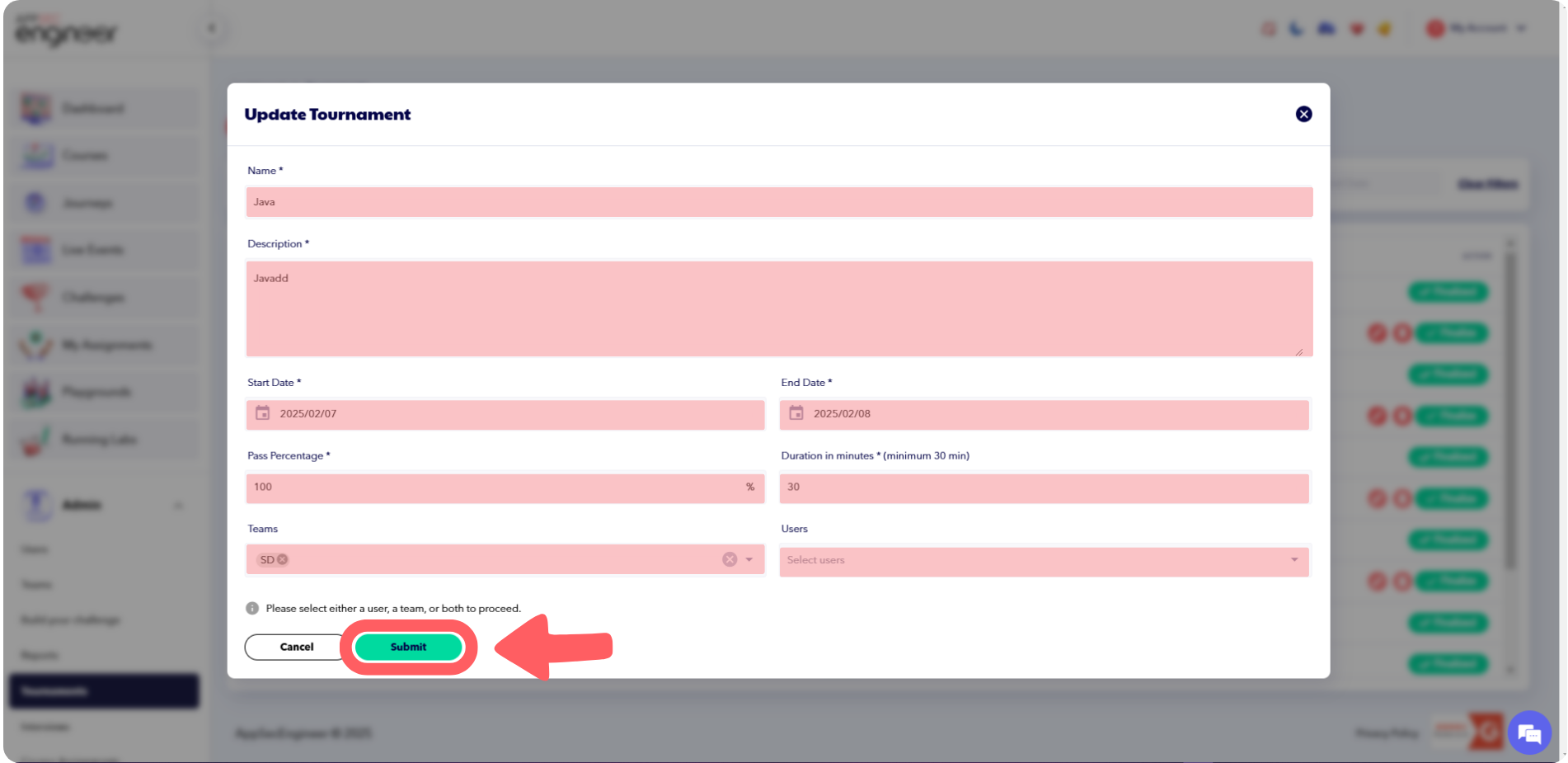 This screenshot shows the AppSecEngineer platform where tournament details such as name, description, dates, pass percentage, users, and attached challenges can be updated.
-
-
Save and Finalize:
-
Once all changes are made, click Finalize to apply the updates.
-
Remember that a FINALIZED tournament cannot be edited!
Need to delete an outdated tournament? Check out our guide on Deleting a Tournament.
-
Important Notes
-
Ensure all required fields are filled before finalizing.
-
Review attached challenges and participant details to avoid discrepancies.
-
Changes will only take effect once the tournament is finalized
-
A FINALIZED tournament cannot be edited!