
The Learning Journey in AppSecEngineer is designed to provide structured, hands-on training in various cybersecurity domains. Many learners wonder if they receive a certificate of completion after finishing a Learning Journey.
Does AppSecEngineer Provide Certificates for Learning Journeys?No, AppSecEngineer does not provide certificates for completing a Learning Journey. Instead, learners earn badges upon successful completion of all required courses and labs within a Learning Journey. These badges serve as a recognition of expertise and progress in specific security domains.
How to Earn a Badge for a Learning Journey?Step 1: Complete All Required Labs and Courses
Each Learning Journey consists of multiple labs, courses, and challenges.
-
You must finish all modules included in the Learning Journey to earn a badge.
Step 2: Verify Completion Status
- Navigate to your Learning Journey Dashboard on AppSecEngineer.
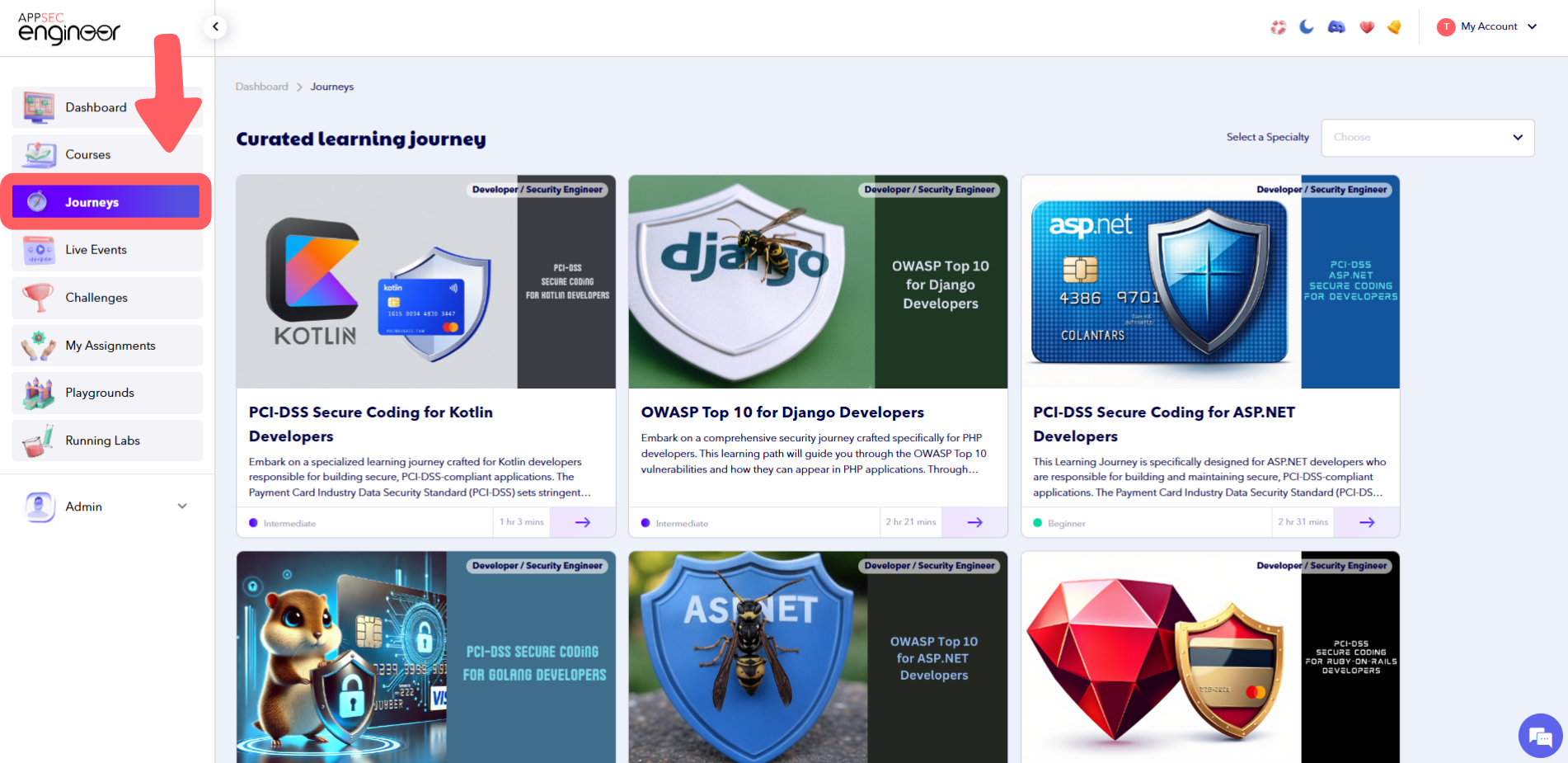 Journeys page on the AppSecEngineer Learning Platform showcasing curated learning paths designed to help users master specific AppSec skills through structured, progressive modules.
 - Check if all the required labs and courses are marked as "Completed."
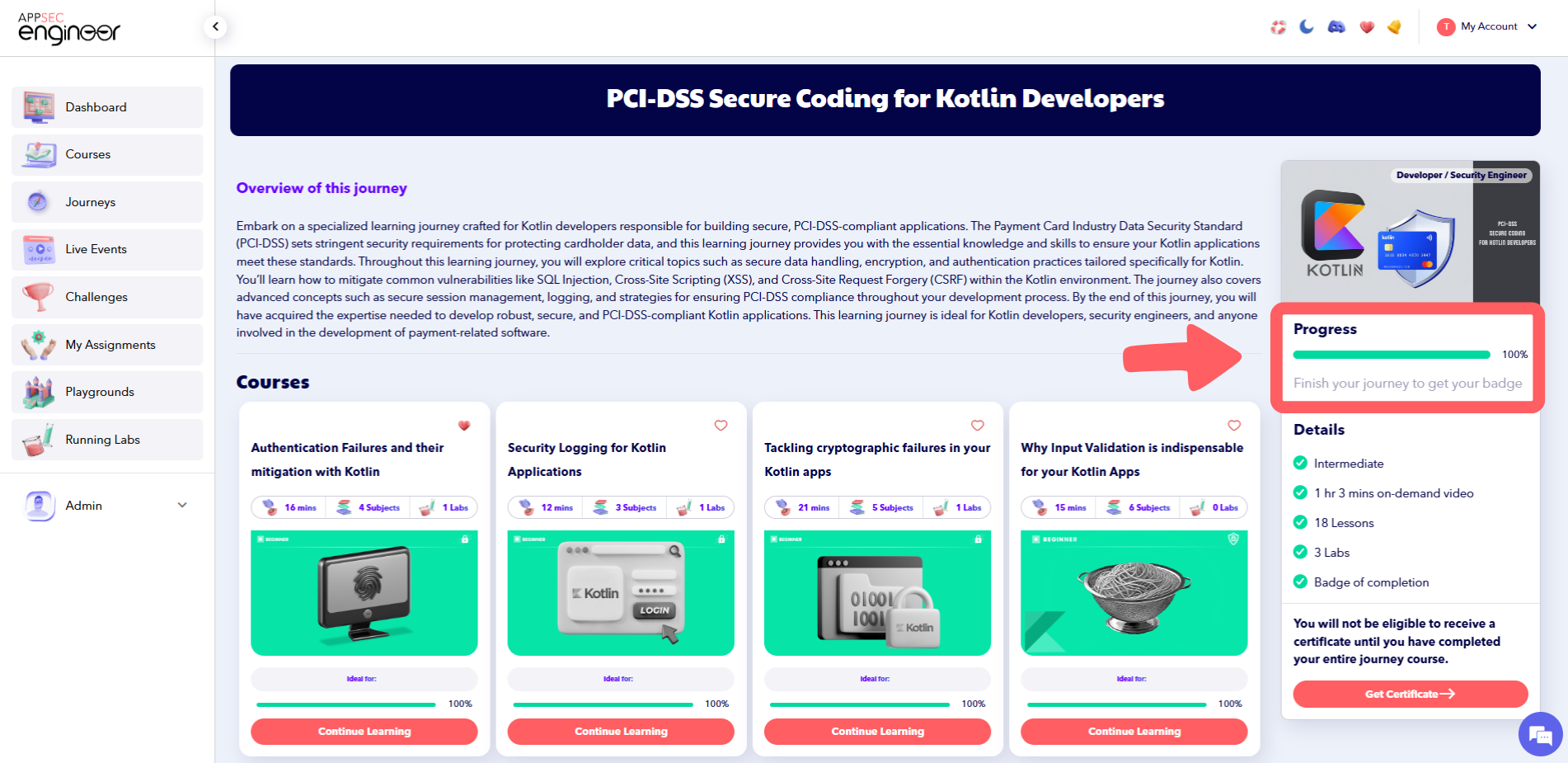 Progress page for the "PCI-DSS Secure Coding for Kotlin Developers" course on AppSecEngineer, showing the learner’s completion status, lesson tracking, and module progress indicators.
Step 3: Claim Your Badge
Once the Learning Journey is completed, your badge will be available in the Achievements Section.
-
Go to Your Achievements to view and claim your badge
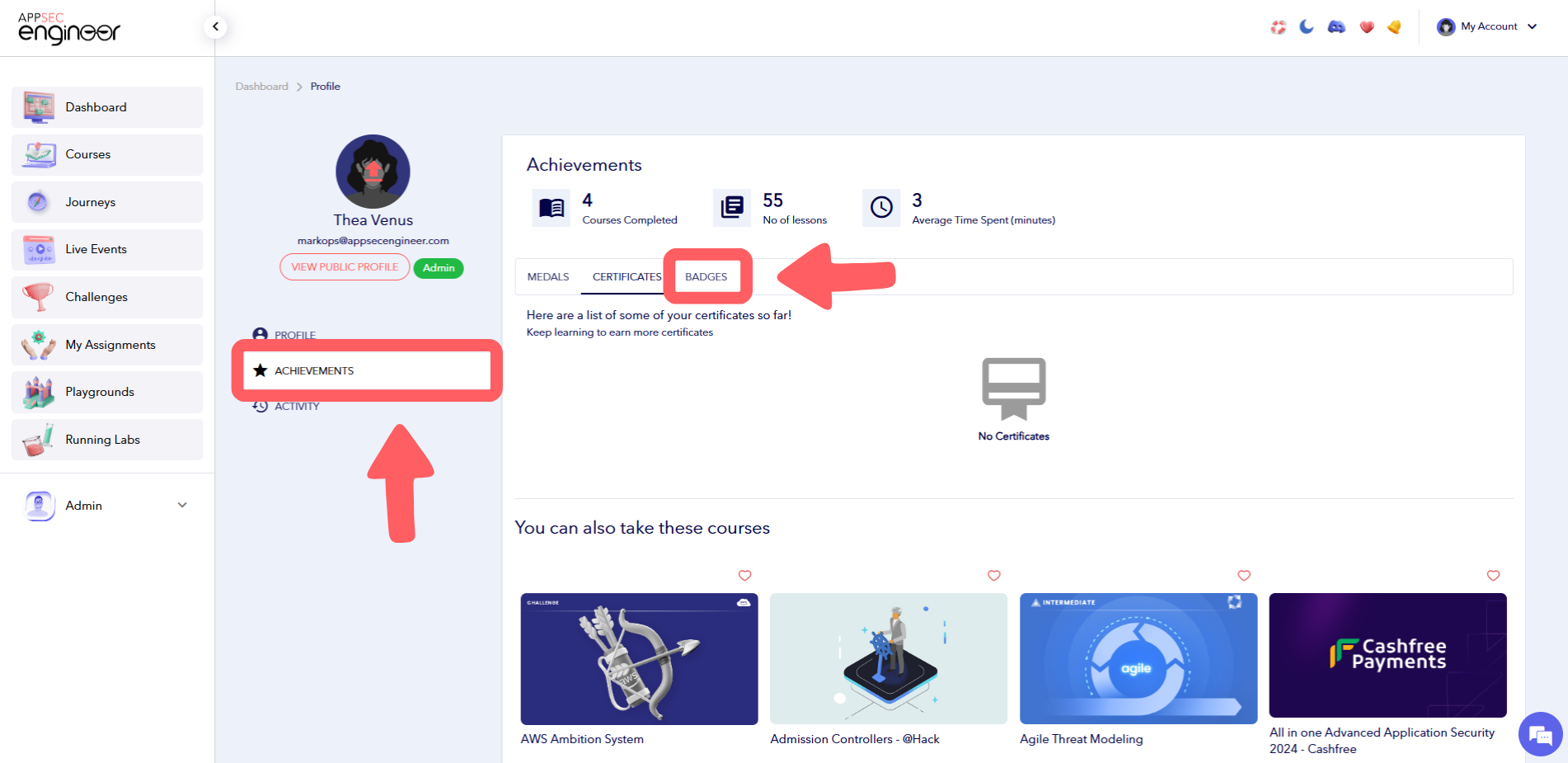 AppSecEngineer dashboard displaying the user achievements page with highlighted “Badges” tab and completed learning stats.
Note:
✅ Learning Journeys award badges, not certificates.
✅ Badges represent your skill level in specific security domains and can be used to demonstrate expertise.