
Assignments is an enterprise admin-only feature that enables admins to allocate tasks or learning modules to teams and users effectively. Follow these steps to create an assignment:
-
Log in to the Admin Dashboard:
- Navigate to the Admin section of the platform using the sidebar menu.
-
Access the Assignments Page:
- Click on Assignments under the Admin menu.
-
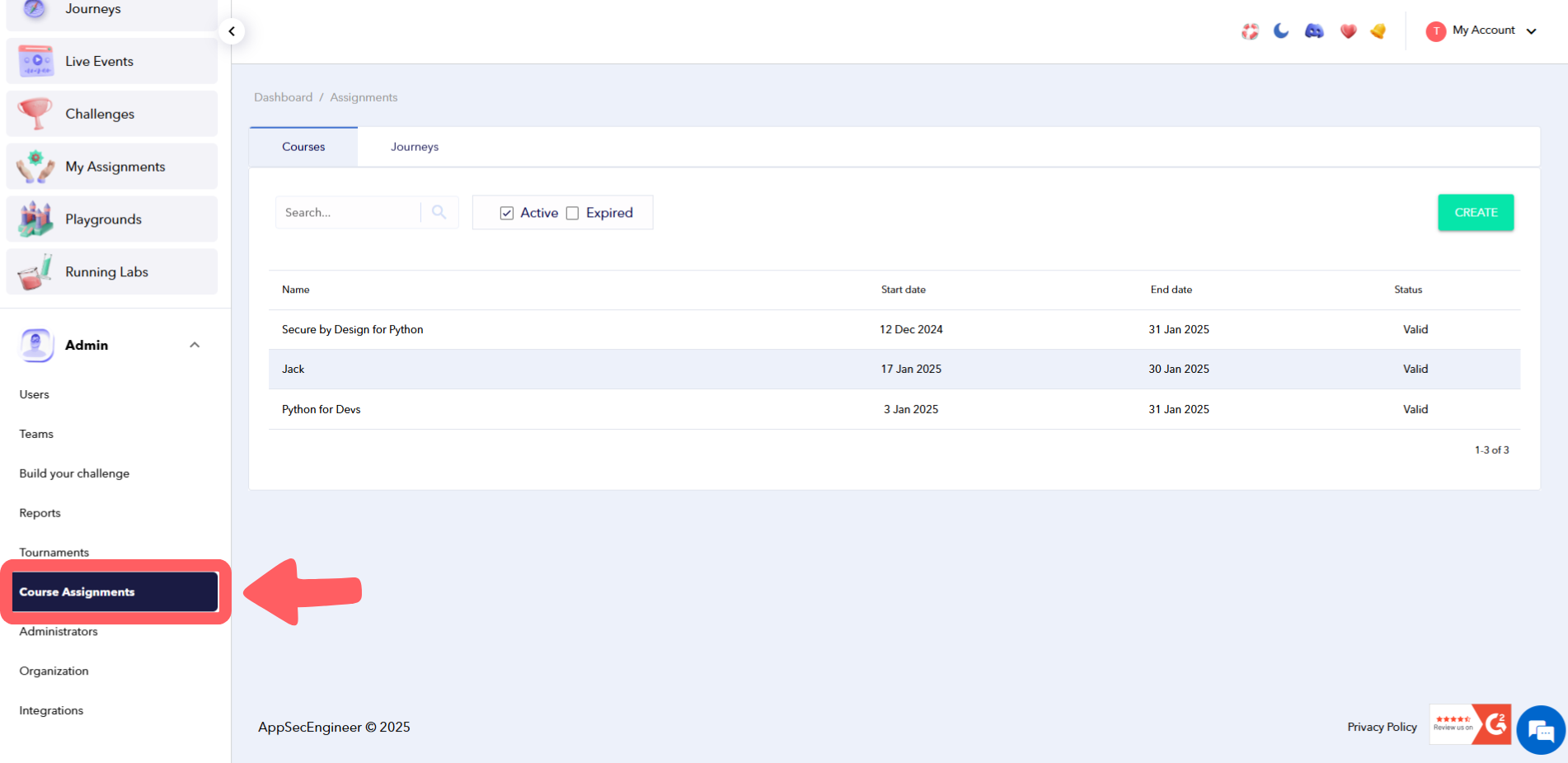 Go to left menu, click on admin, click on course assignments
-
Create a New Assignment:
- Select Create New Assignment.
Once created, assignments can be modified later as shown in our guide on Editing an Assignment. - Provide the assignment details, including:
- Name: A descriptive name for the assignment, such as:
- Security Awareness Training
- Vulnerability Assessment Module
- Compliance Test for January
- Start Date: The date the assignment becomes accessible.
- End Date: The deadline for completion.
- Pass Percentage: The minimum score required for successful completion.
-
 Go to Left Menu, Click on course assignments and click create
- Name: A descriptive name for the assignment, such as:
- Assign the task to specific:
- Teams: Select the teams that should receive the assignment.
- Users: Add individual users, if necessary.
- Choose the modules or tasks to include in the assignment.
-
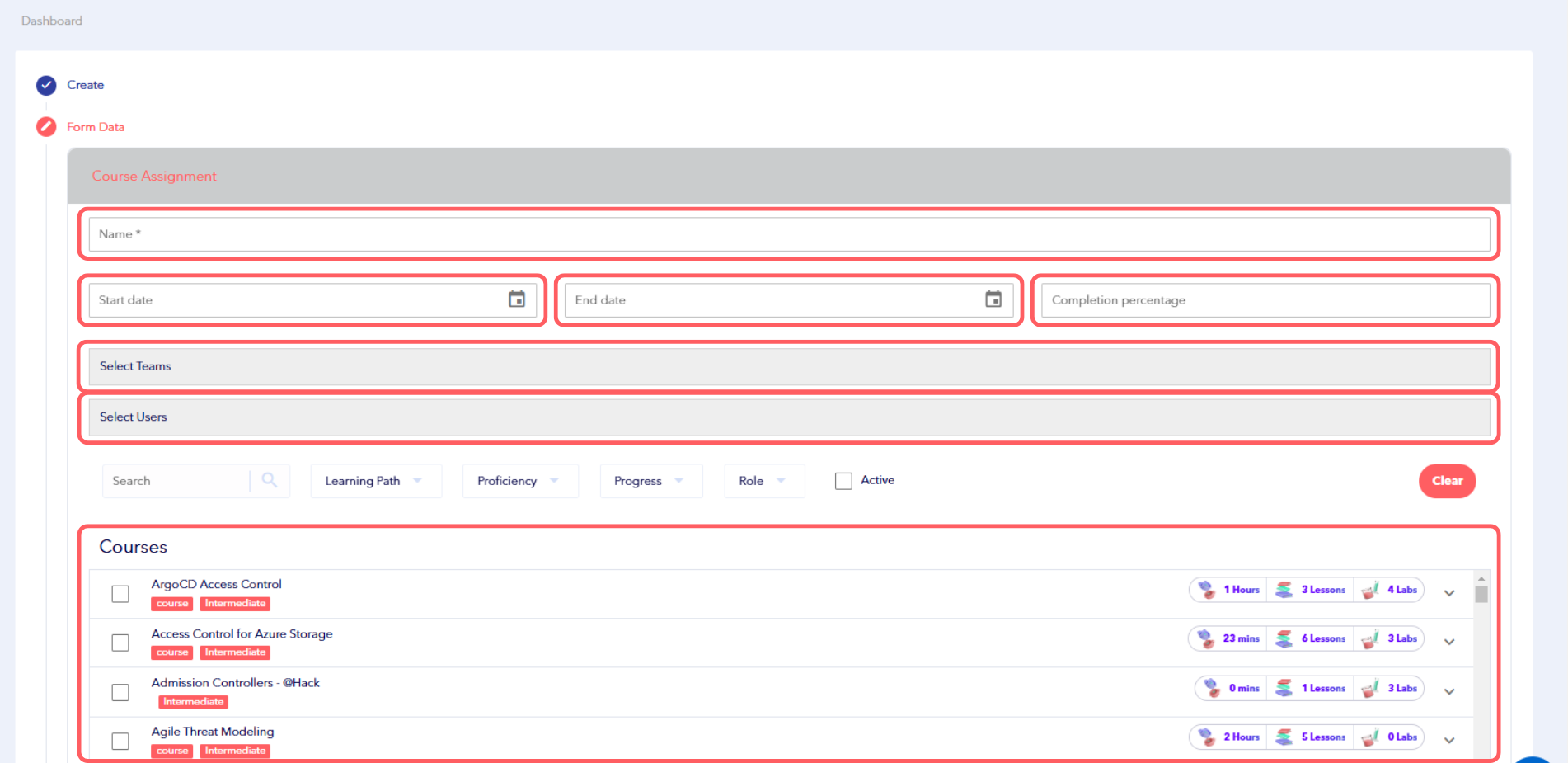 Image Featuring screenshot of creating new form data inside AppSecEngineer's Learning Dashboard
- Select Create New Assignment.
-
Submit the Assignment:
- Review the details to ensure everything is accurate.
- Click Submit to finalize and save the assignment.
-
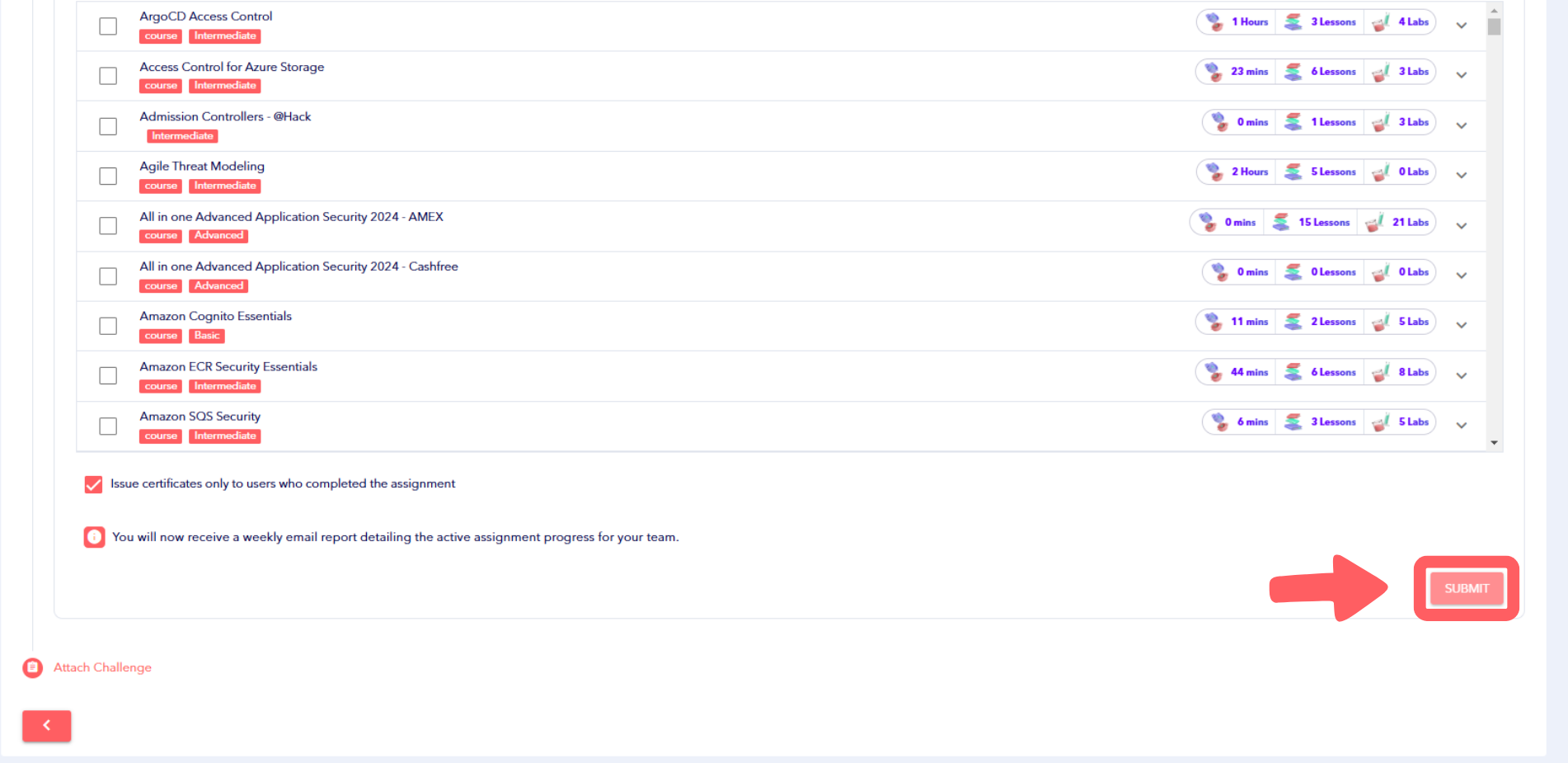 Image Featuring screenshot of completing assignments and issuing certificates for the learners
Now, Monitor assignment performance through Reports about Assignments
Tips for Assignment Management
- Assignment Naming Conventions: Use clear and consistent names to make assignments easy to identify.
- Relevant Content: Tailor assignments to align with organizational goals and team priorities.